Add a news ticker, offer banner or announcement bar to any WordPress site in a minute. Build it with a live preview, then show it in your header, as a sticky or bottom bar, or anywhere with a block, shortcode or Elementor widget.

Live preview
See every change before you save
Breaking News bar is live
Every page · pauses on hover
Works with
Gutenberg Elementor Any theme Shortcode RTL languages WooCommerce storesFree plugin highlights
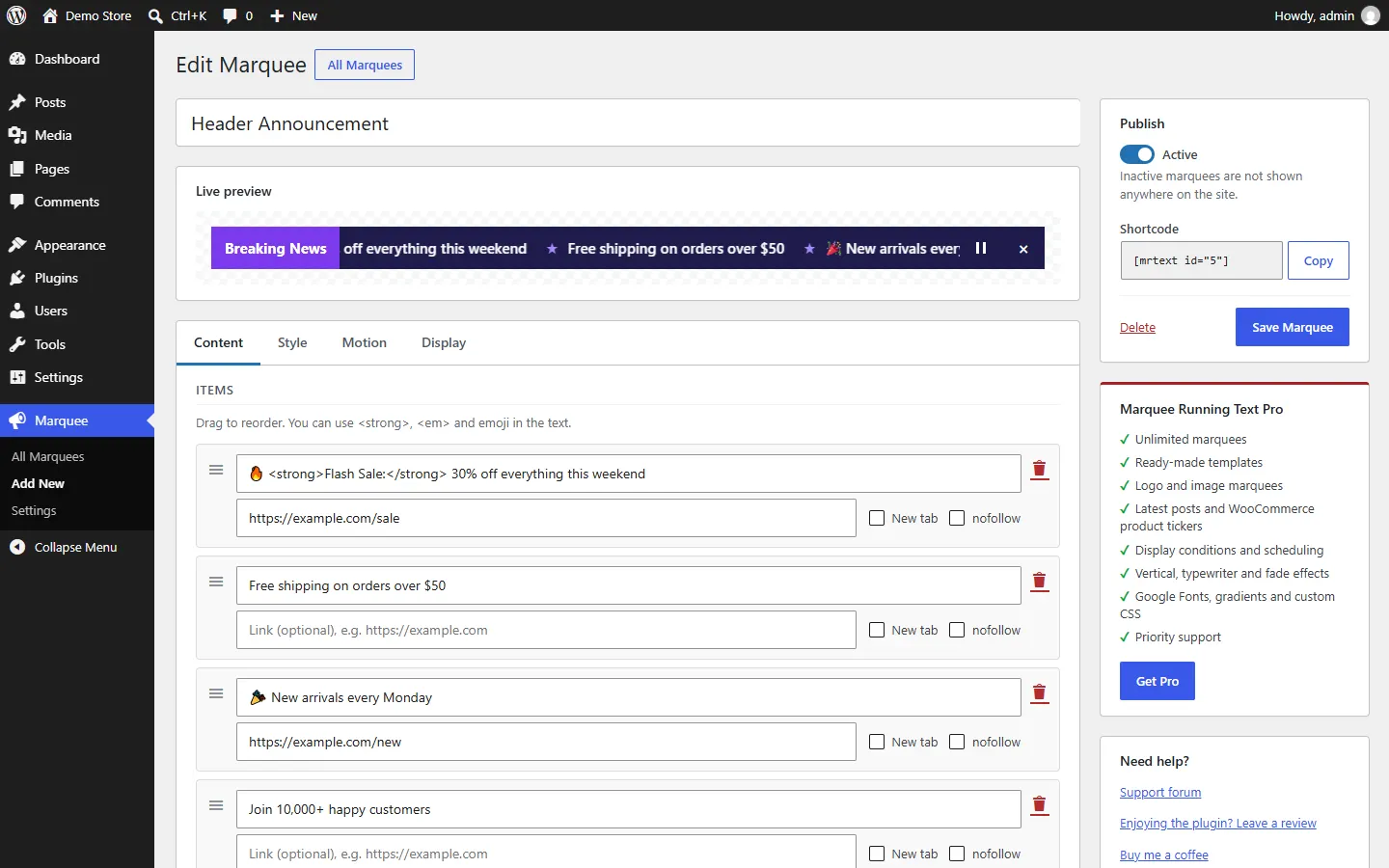
01 · Build
Type your announcements, drag them into order and watch the bar update instantly — colors, size, speed and all. No code, no guesswork.
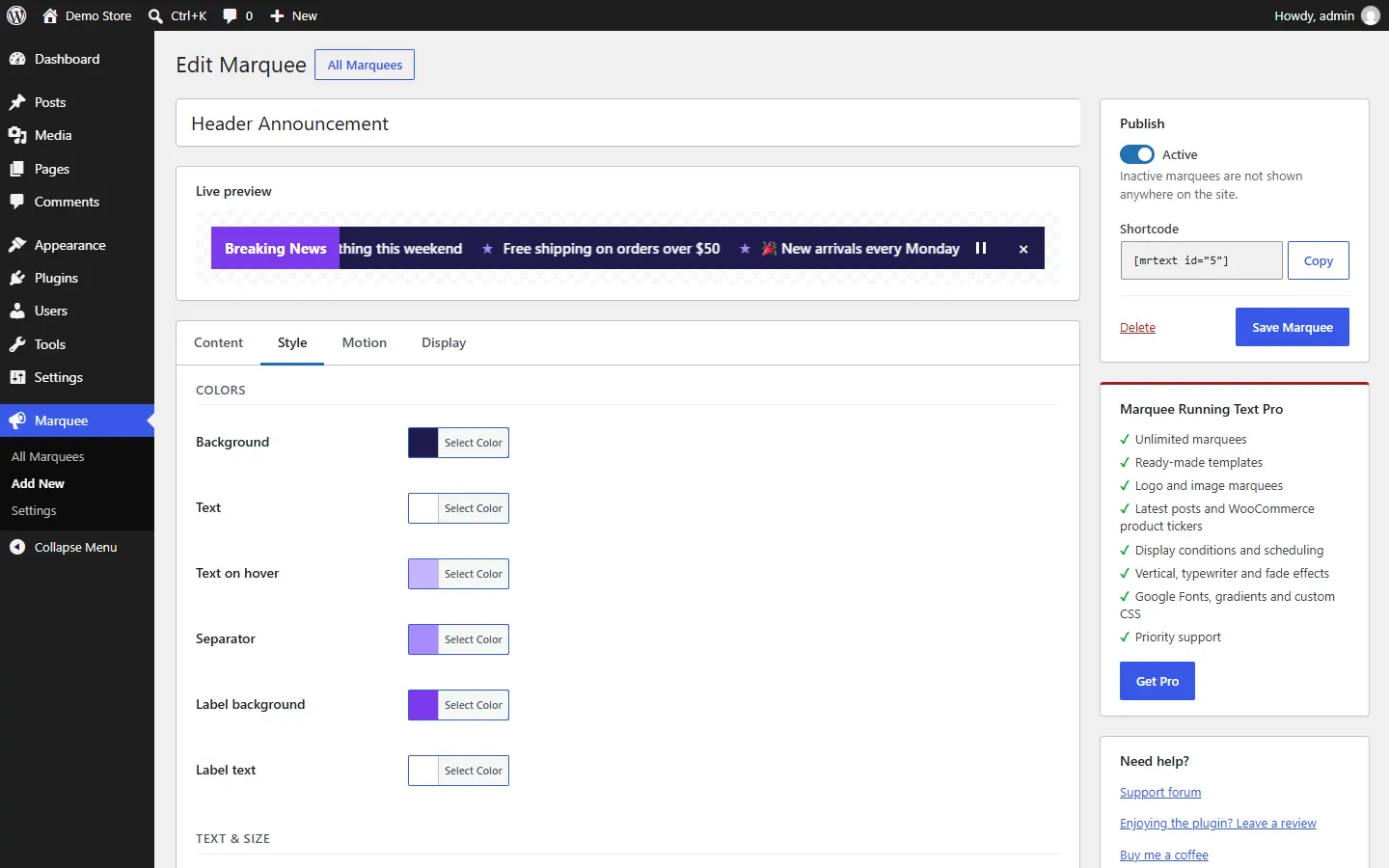
02 · Style
Pick colors, font size and weight, bar height, a label box and separators — the preview updates as you go.
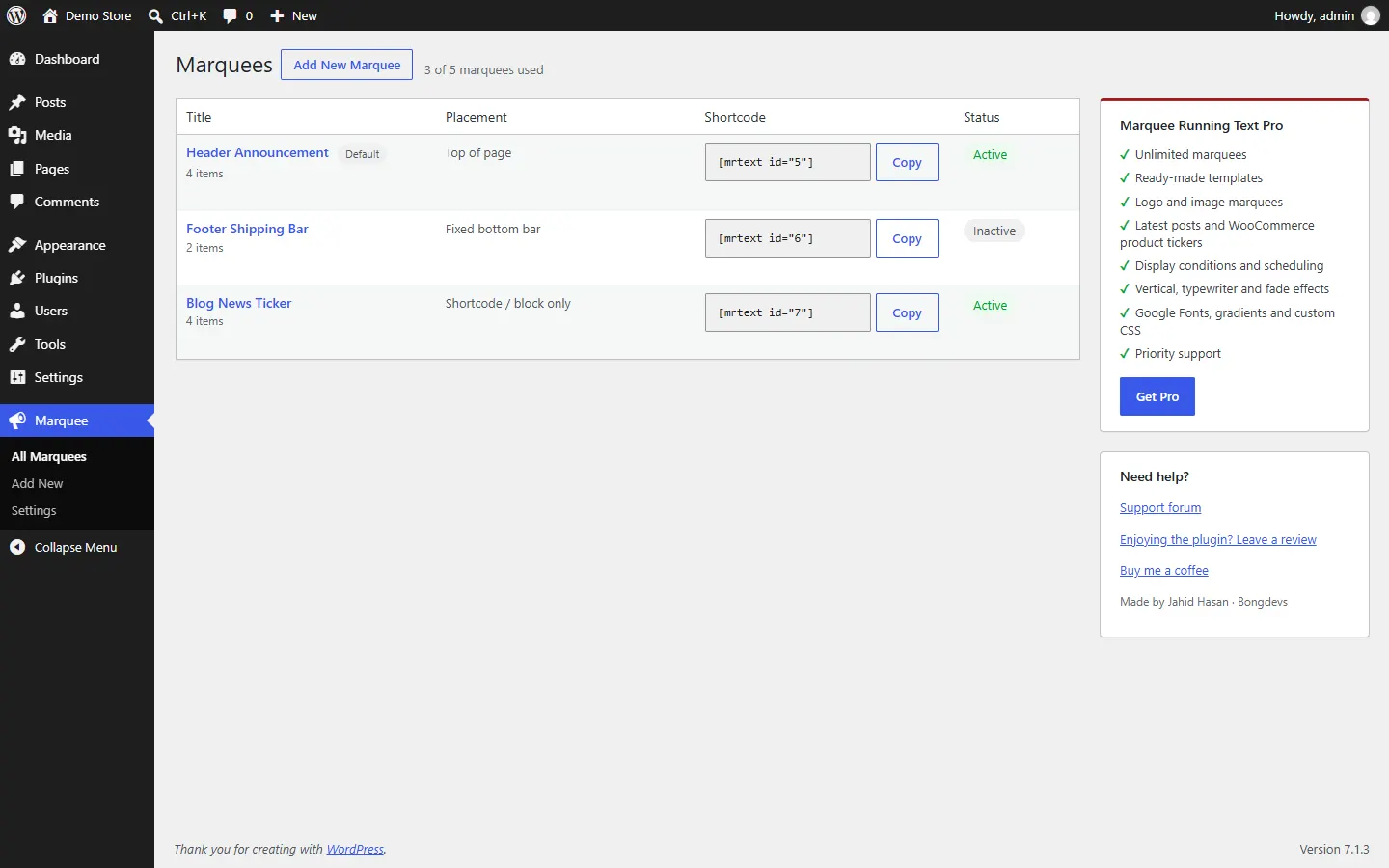
03 · Place & manage
Top of the page, a sticky bar, a fixed bottom bar, or anywhere with the block, shortcode or Elementor widget. Activate, duplicate or copy a shortcode in one click.
Go further with Pro
Marquee Running Text Pro unlocks everything a busy store, agency or news site needs — all in the same builder you already know.
Create a marquee for every page, campaign and language.
Breaking News, Flash Sale, Logo Strip and more — one click to start.
Scroll client logos, partners or payment icons smoothly.
Show your latest posts or on-sale products automatically.
Choose pages, categories, user roles and start/end dates.
1,800+ modern icons, typewriter and fade effects, Google Fonts and custom CSS.
Free vs Pro
Free
Pro
+
After buying, download Pro from your account and activate it with your license key. It replaces the free plugin and keeps all your marquees.
Updating from version 1.x? Your texts, links and colors move to the new builder automatically — nothing is lost.
FAQ
Is there a free version?
Yes. The free plugin on WordPress.org includes up to 5 marquees with unlimited items, the live preview builder, every placement, the block and the Elementor widget.
How do I add Pro?
Pick a plan and pay securely by card or PayPal. Then download Marquee Running Text Pro from your account (or the purchase email), install it and enter your license key. It replaces the free plugin and keeps all your marquees.
Will it work with my theme or page builder?
Yes. It works with any theme — including older themes — plus Gutenberg, Elementor and the classic editor through the shortcode.
Will updating from 1.x delete my texts?
No. Your texts, links, colors, speed and show/hide setting are moved automatically, and the old settings stay in the database.
Will it slow down my site?
No. The script is tiny, needs no jQuery, loads only on pages with a marquee and pauses when the bar is off-screen.
Start with the free plugin today and upgrade to Pro when you need more.
Free version on WordPress.org · Secure checkout by Freemius